포켓몬스터 기라티나 한국지역 롬에서 제거된 도박장을 활성화시키는 패치입니다.
한글판 포켓몬스터 PT 기라티나 롬에 사용 가능합니다.
프로그램을 실행 후 롬파일을 열고 패치버튼을 누른 뒤 패치된 롬파일을 저장할 경로를 선택해 주시면 됩니다.
올바른 롬파일을 사용했는데도 패치할 수 없는 파일이라고 뜨는 경우엔 롬이 변형된 경우이므로 새로운 순정 롬파일을 구하셔야 합니다.
포켓몬스터 기라티나 한국지역 롬에서 제거된 도박장을 활성화시키는 패치입니다.
한글판 포켓몬스터 PT 기라티나 롬에 사용 가능합니다.
프로그램을 실행 후 롬파일을 열고 패치버튼을 누른 뒤 패치된 롬파일을 저장할 경로를 선택해 주시면 됩니다.
올바른 롬파일을 사용했는데도 패치할 수 없는 파일이라고 뜨는 경우엔 롬이 변형된 경우이므로 새로운 순정 롬파일을 구하셔야 합니다.
Enable SSH and add the following lines to the .vmx file
You might need to change the pciSlotNumber to something else in order to avoid collision
sound.present = "true"

sound.allowGuestConnectionControl = "false"

sound.virtualDev = "hdaudio"

sound.fileName = "-1"

sound.autodetect = "true"

sound.pciSlotNumber = "35"
Login HAML location for Ubuntu 12.04 is as follows
/opt/gitlab/embedded/service/gitlab-rails/app/views/layouts/devise.html.haml
Edit the file as you need. Then run
sudo gitlab-ctl restart
to apply the edited HAML and restart gitlab.
The old way of calling bundle rake or gitlab-ctl rake is useless now. You don’t have to use it nor you should use it.
PC방이나 다른 컴퓨터에서 게임을 하시는 분들을 위한 프로그램입니다.
혹시나 컴퓨터에 남이 쓰던 게임핵이 깔려있지 않을까, PC방 프로그램이 해킹툴로 오인되어 밴 되지 않을까 걱정할 필요 없습니다.
배틀필드를 설치하시면서 검사를 하면 PunkBuster에서 문제 소지가 있는 프로그램을 먼저 탐지해 줍니다.
이로 게임도중 예기치 않게 해커로 몰리거나 계정을 잃어버리는 상황을 최대한 방지할 수 있습니다.
가끔씩 PC방에서 플레이한 후 억울한 밴을 당했다는 유저들이 종종 보이고, 펑부 자체도 오진률이 꽤나 되는듯하여 만들어 보았습니다.
사용법 : 실행후 본인이 플레이할 게임을 고르시면 됩니다.
현재 배틀필드 3, 배틀필드 4를 지원하고 하드라인은 필자가 소유하지 않는 관계로 생략했습니다.
본인 컴퓨터의 사양이나 실행 환경에 따라 몇 분 정도 걸릴 수 있습니다. 노트북이거나 실행 프로그램이 많은 경우 10~15분 이상 걸릴수도 있으니 유의하세요.
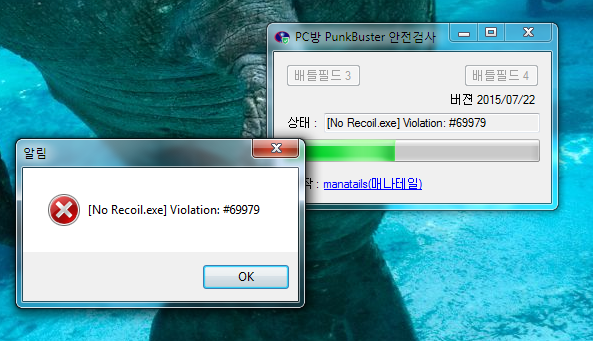
위험요소 발견시 위와 같은 경고창이 뜹니다.
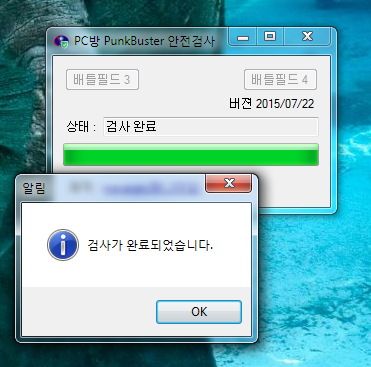
경고창 없이 성공적으로 검사가 완료되었다면 안심하고 게임을 즐기시면 됩니다.
다운로드 : PCBangCheck-20150723
때때로 PunkBuster 시스템에 큰 변화가 생기면 이에 맞춰서 업데이트를 할 생각입니다.
* PunkBuster 특성상 검사방법이 주기적으로 바뀌며, 해당 프로그램은 실시간으로 업데이트 되지 않기 때문에 검사가 되지 않았지만 걸리는 파일이 생길 수 있음을 알려 드립니다 물론 그렇게 문제가 생길 확률은 희박합니다.
** 실행시 오류가 발생한다면 .NET 프레임워크 4.0을 설치해야 합니다 : https://www.microsoft.com/en-us/download/details.aspx?id=17718
This post is somewhat late, but I decided to upload it for informative purposes.
In early this year I set up my own CA for securing connections between devices that I use.
One of the things I cared about is the Windows Remote Desktop where I did not like the program spitting out warnings about default, non-secure self-signed certificate.
So I thought about using my own certificates for them.
First I created an importable .pfx file with the private key and the certificate.
With the certificate saved on the target machine, do the following:
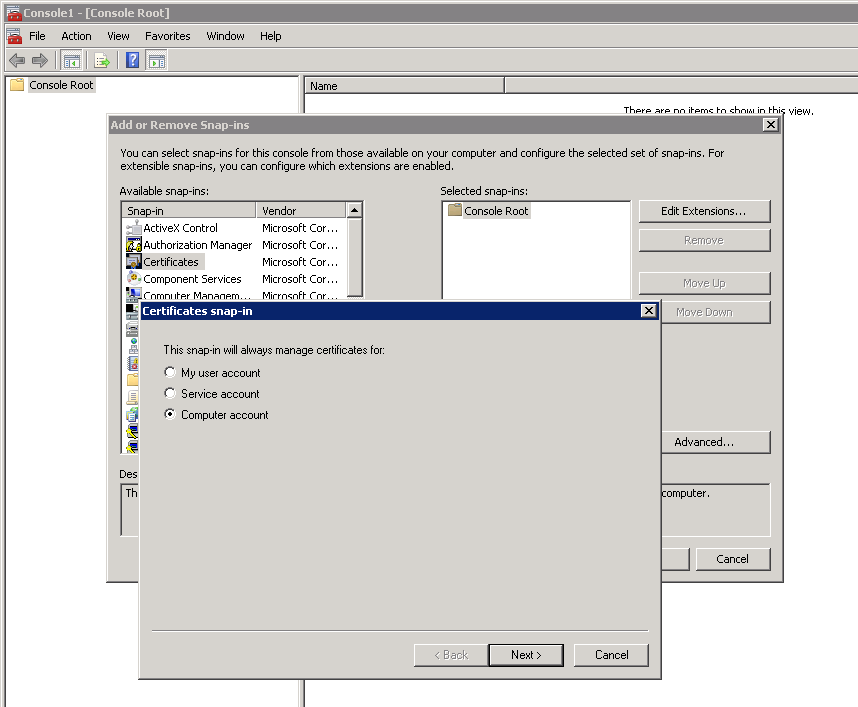
Open the mmc console and add a certificate snap-in for local computer account.
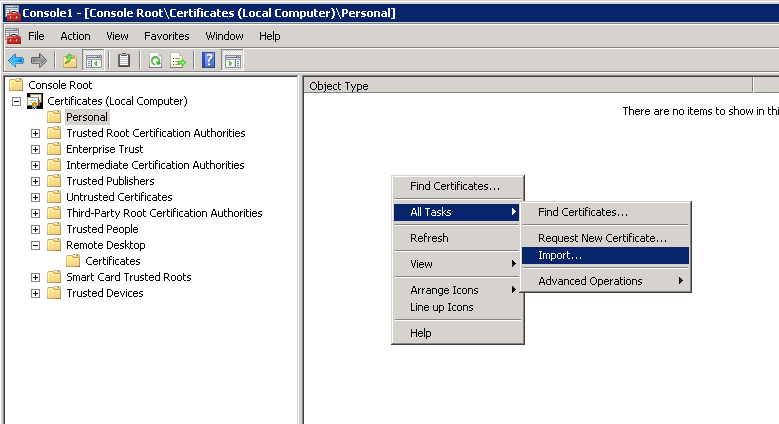
Go to Personal key storage and import the key file(It is NOT Remote Desktop storage despite its name).
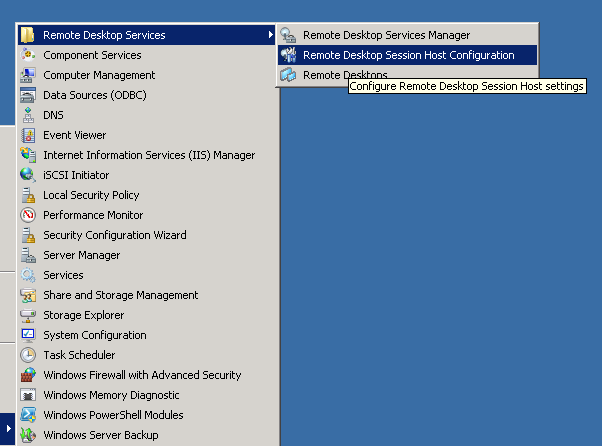
Open Remote Desktop Session Host Configuration.
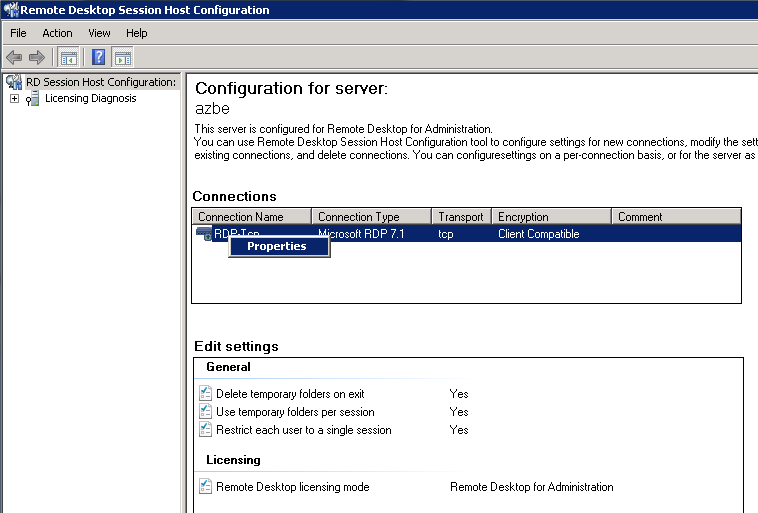
Right click your desired RDP connection (RDP-tcp for my case) and go to properties.
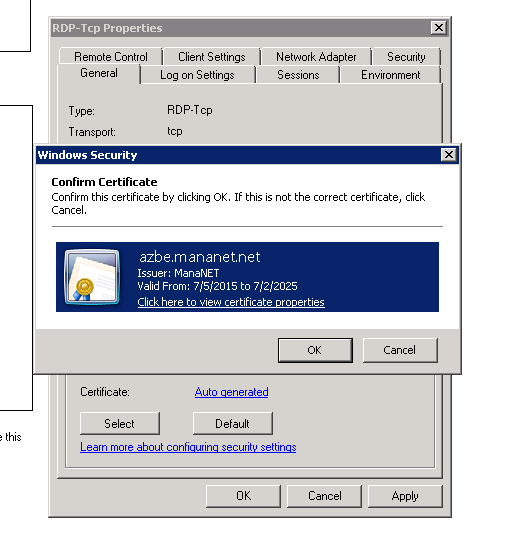
Press ‘Select’ button in the certificates section to locate your certificate.
Then click Apply and disconnect from the RDP session. Further sessions will be secured using the certificate you specified.
sudo tcpdump -w capture.pcap -i eth0
Quck and simple alternative to using Wireshark.
Here are some warmer color profiles for W230SS that I uploaded due to request.
Downloads:
$ wget -O php.tar.bz2 http://link/to/the/php/file
$ tar xvjf php.tar.bz2
$ cd php-5.4.*
$ ./configure –with-apxs2=/usr/apache2/2.2/bin/apxs –prefix=/usr/php/5.4
$ gsed -ibak ‘s,\-mt,,’ Makefile
$ gsed -i.bak ‘s,\-i \-a \-n php5 libphp5\.la,-i -n php5 libphp5.la,’ Makefile
$ gmake -j16
make a copy of php/php5.3.conf and rename it to php5.4.conf
Replace in the file: 5.3 with 5.4
and replace the original module with: LoadModule php5_module libexec/libphp5.so
then change php.conf and redirect the includes to the new php5.4.conf file
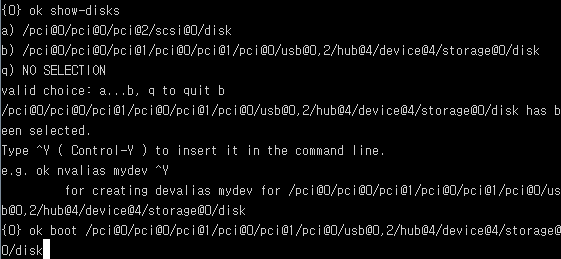
Halt the system using init command. poweroff will completely shutdown the system and will give no PROM prompt so only halt it.
init 0
Use show-disks to select one of the disks and execute boot {disk} command.
I bought the limited edition of the new cute Spanish Vocaloid from Voctro Labs.
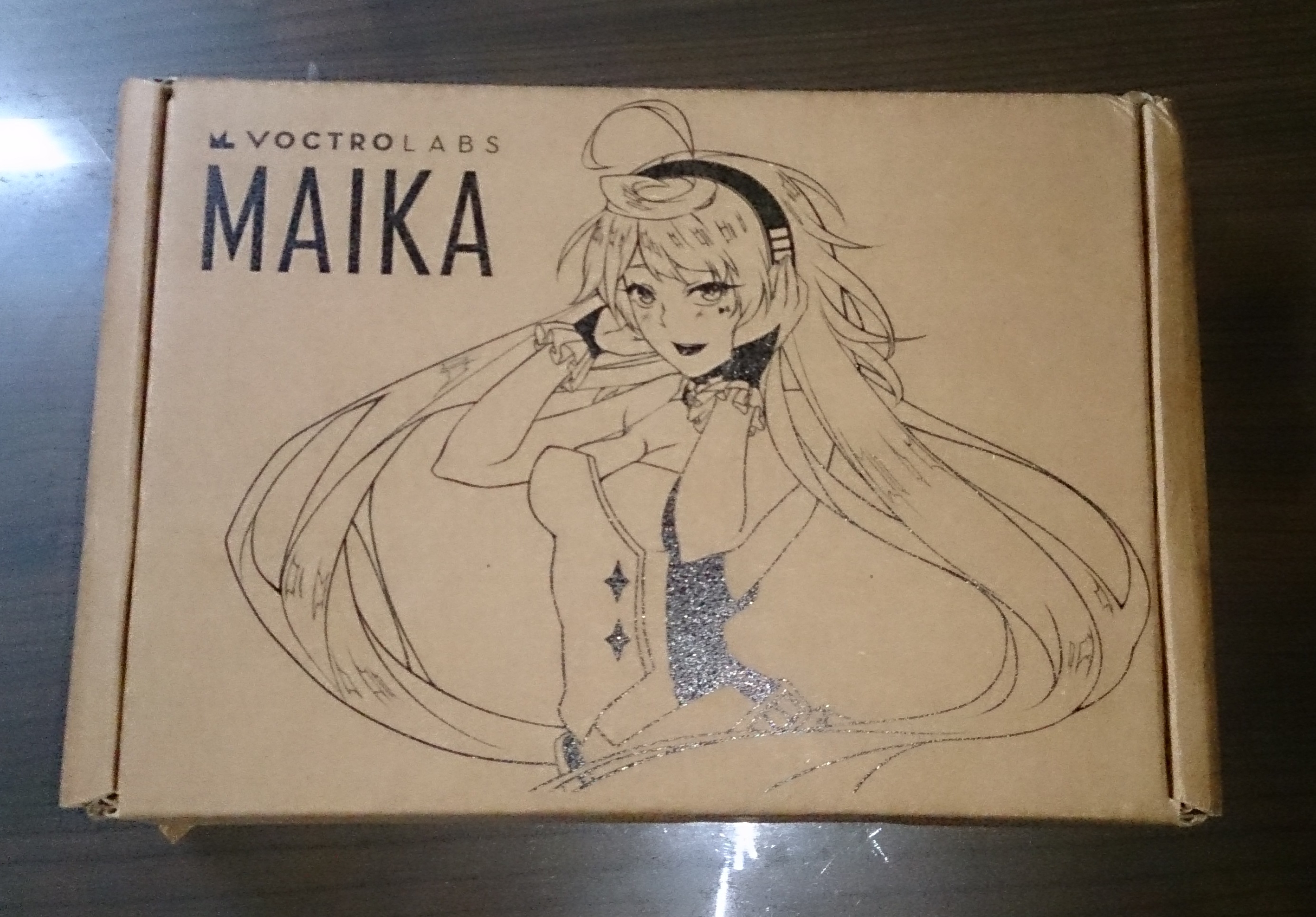
Outer box, front
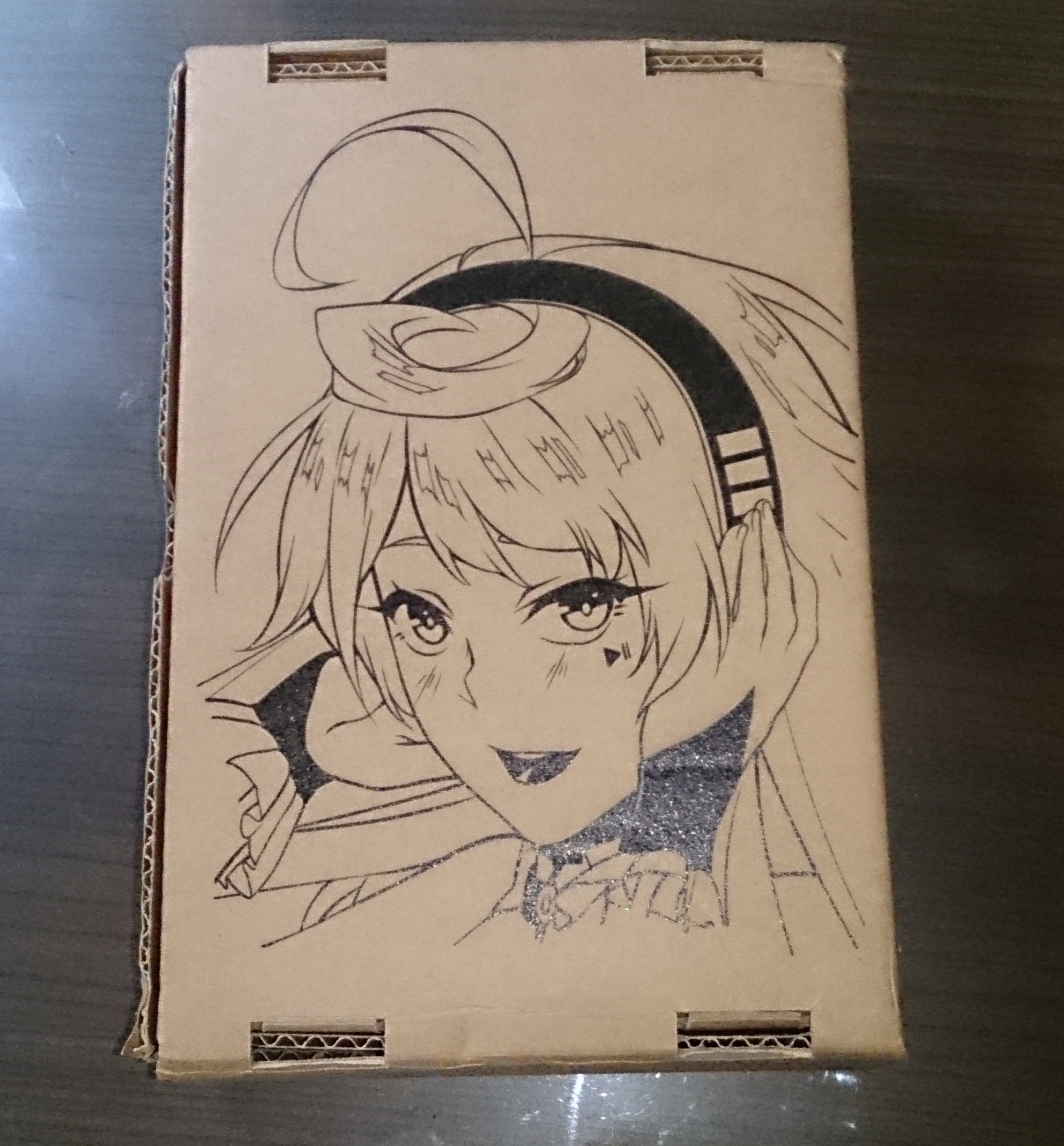
Outer box, back
Outer box, side
On the other side is the hand printed serial number, but I didnt take a picture if it
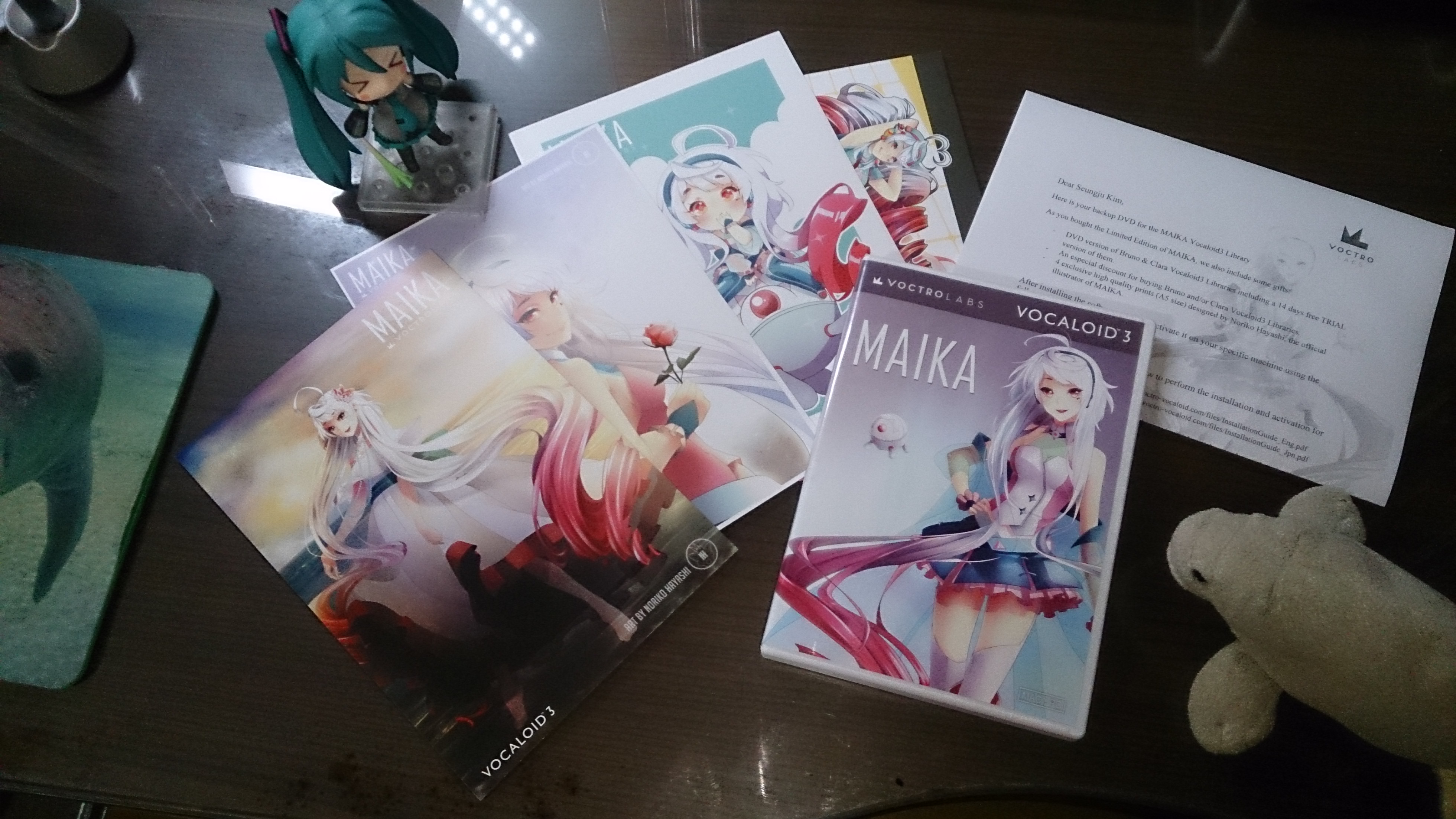
Maika’s CD and her illustrations. With my signature manatee and Miku
I liked the chibi version of her.